Join The Squad. Get Rewarded.
Sign up to FMFC for free and get access to member-only giveaways, behind-the-scenes insights and exclusive FM news.
Already a member?
Sign InWe’ve detected that your browser is in English, click the button below to go to the dedicated English version of the Football Manager website.
Go to English siteHemos detectado que tu navegador está en español. Haz clic en el botón de abajo para ir a la versión del sitio web de Football Manager en este idioma.
Ir al sitio web en españolNous avons détecté que votre navigateur est en français, cliquez sur le bouton ci-dessous pour vous rendre sur la version en français du site internet de Football Manager.
Allez vers le site en françaisTarayıcınızın dilinin Türkçe olduğunu belirledik. Football Manager web sitesinin Türkçe versiyonuna gitmek için aşağıdaki düğmeye tıklayın.
Türkçe sitemize gidinAbbiamo rilevato che il tuo browser è in italiano, clicca sul pulsante qui sotto per andare alla versione italiana del sito di Football Manager.
Vai al sito italianoWir haben erkannt, dass Ihr Browser auf Deutsch eingestellt ist. Klicken Sie auf die untere Schaltfläche, um zur deutschen Football Manager-Seite zu gelangen.
Zur deutschen SeiteElevating game flow and navigation has been at the heart of the work on Football Manager 27’s User Interface and Experience.
Driven by internal reviews and your feedback, FM27 evolves our existing design language while reintroducing familiar behaviours, creating a cleaner, more intuitive experience from the start of every career.
By reducing the number of clicks, reshaping menus to elevate the full-screen experience and introducing more adaptivity and customisation, you can get to the information and areas you need more efficiently; giving you more time to explore the wider game world.
Let’s dive into the changes you’ll soon see in FM27…
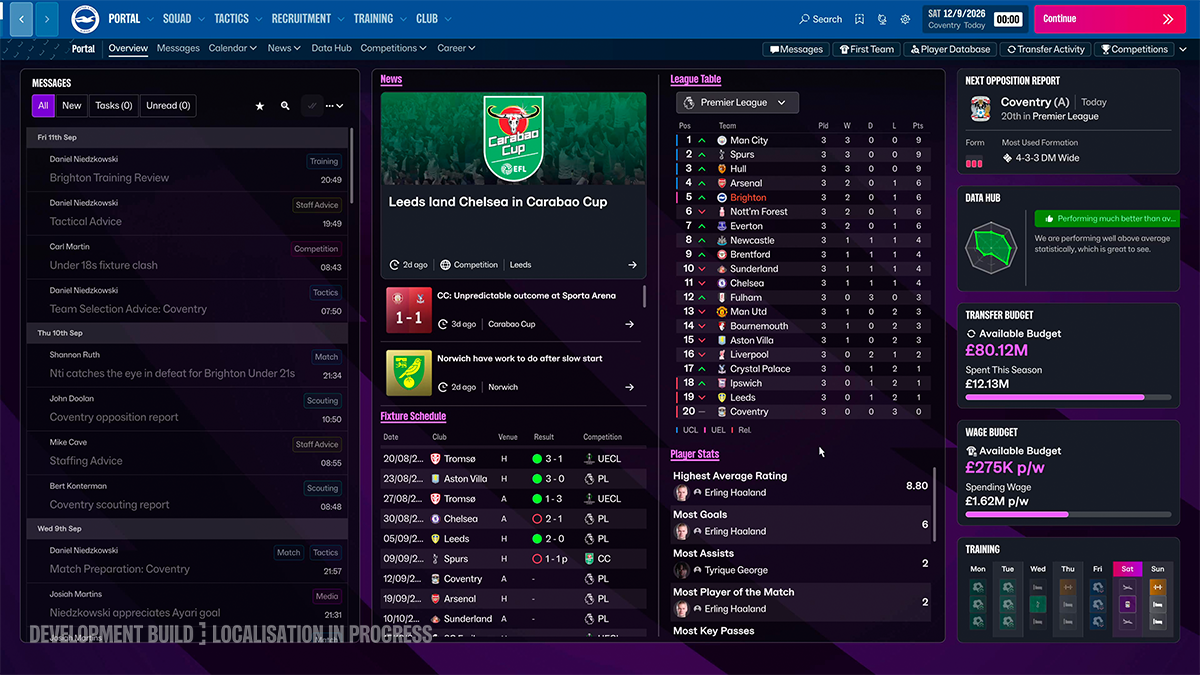
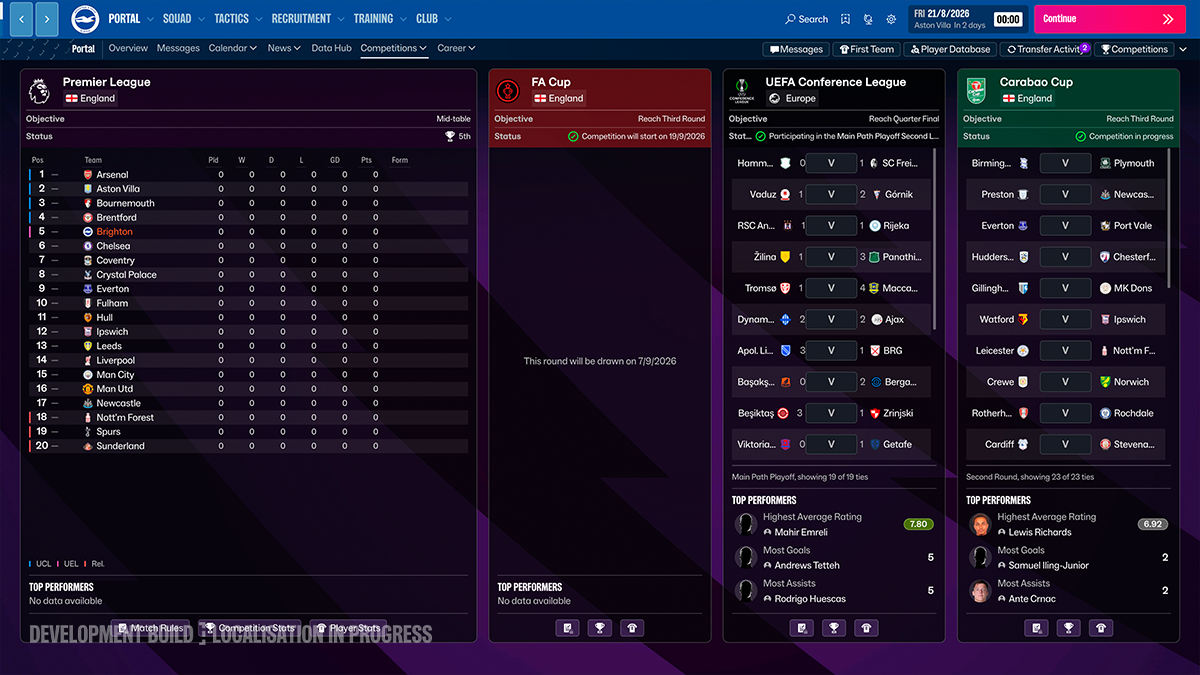
The primary navigation menu has been updated with renamed sections: Portal, Squad, Tactics, Recruitment, Training and Club. Each one better reflects your core responsibilities as a manager, while reducing the number of steps needed to reach the information and actions you use most.
By making tiles primarily an informational tool, we’ve been able to change screen compositions through the game, prioritising the quality and relevance of information at your disposal. So, in the Squad screen, you’ll see your squad straight away. Tactics takes you straight to your tactics; Training takes you straight to your training and so on - at least at first, with more on customisation in this area a little later.
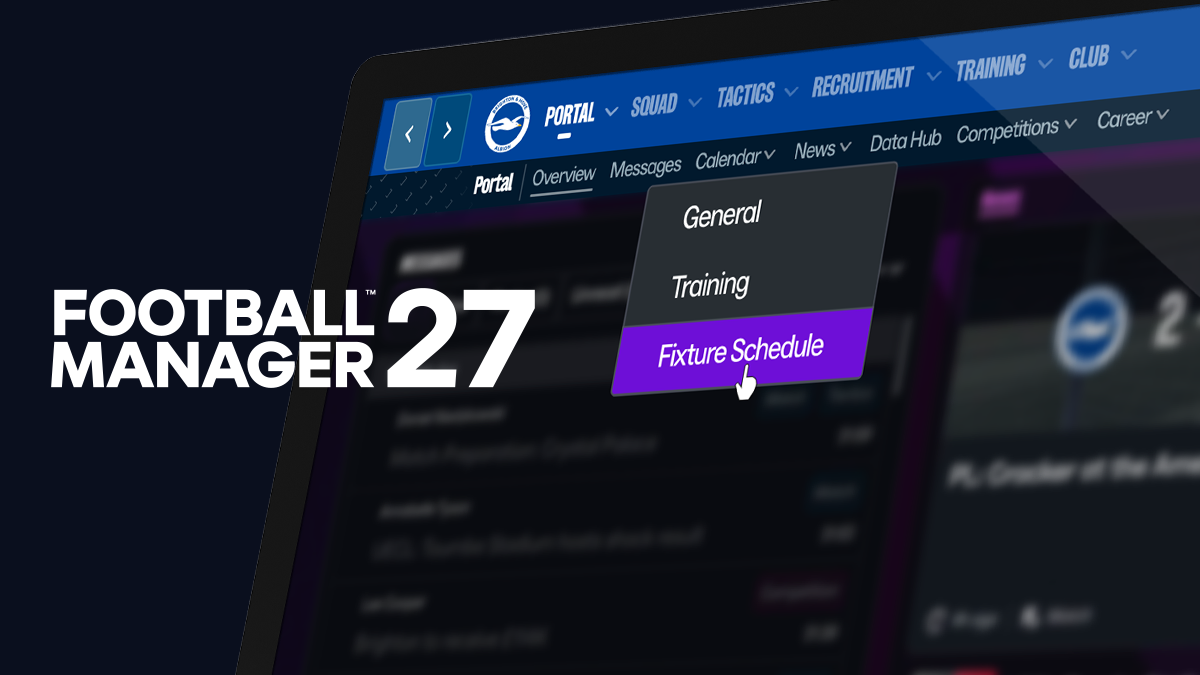
And, within each of these menus you’ll benefit from an improved secondary navigation system. Here, we've improved the signposting to make finding specific areas easier and re-introduced the toggle button to allow you to quickly access and switch between screens within that area without you needing to go back to the overview and find the relevant tile.
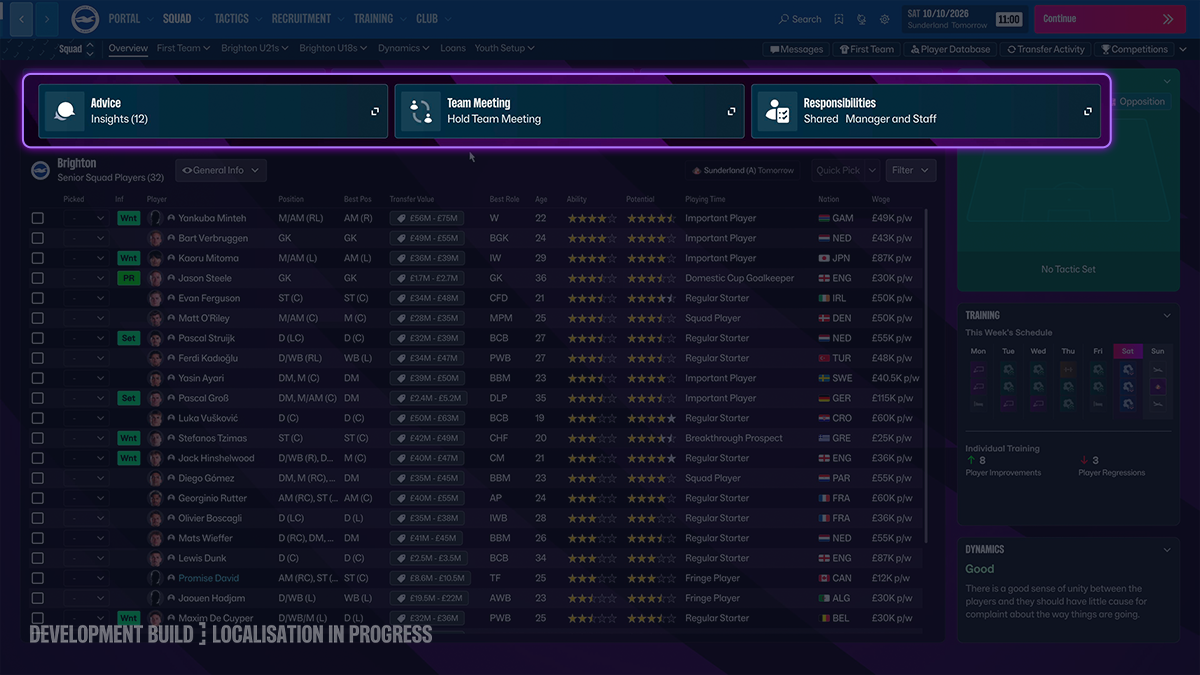
Within these core areas, there’s now a control panel at the top which essentially gathers the key actions you can take in that area. For Squad it might be holding a team meeting or delegating responsibilities, while for Recruitment it could be adjusting your transfer budget or reviewing staff advice.
With many of the cards also becoming full-screen experiences, there’s less closing of windows to move forward; in turn meaning significantly fewer clicks to access what you need.
By presenting it to you like this, you’ve got greater efficiency in navigation and decision-making as your next step is always available and immediately obvious.
By making your next step immediately obvious and pairing these navigational changes with under-the-hood performance upgrades and significantly reduced input latency, FM27 makes both navigation and decision-making feel faster, clearer and more efficient.
Efficiency of navigation and decision-making is at the heart of the wholesale upgrades to Messages for FM27.
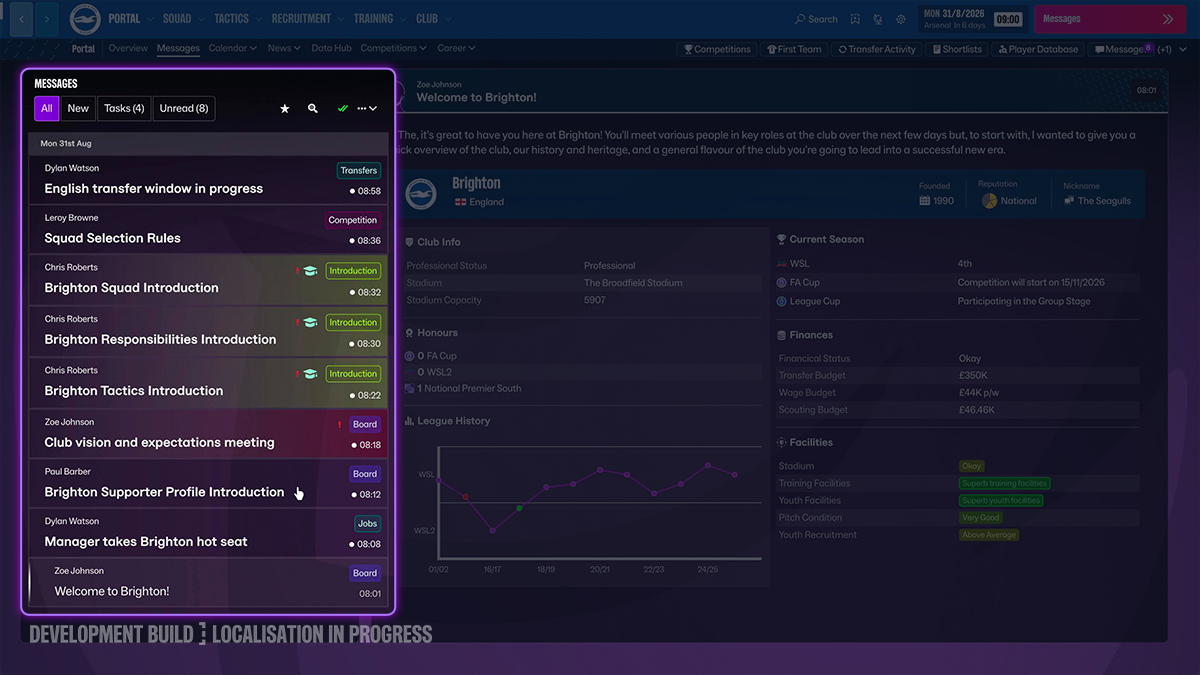
To give you a clear visual cue and make it easier to get into the things that matter most to you as a manager, messages are now colour-coded based on topic and have been designed to make better use of space.
Colour-coding message categories is just one aspect of the visual fidelity improvements in FM27. We’ve added more club colours to the top navigation bar to showcase more team individuality, while by launch, you’ll discover new branded backgrounds that deliver greater vibrancy in every screen.
Within these messages, information is now also presented far more directly. For example, when you receive a message about a Scout Report, this now includes the scout report itself. It’s no longer a tile you need to click into.
There are fewer duplicate items too. So, when you receive multiple transfer offers for a player, these all now appear in the same message. That, in turn, makes it quicker and easier for you to decide on the next steps for your squad.
Giving you the full picture in these messages and beyond is an uptick in the volume of tooltips available in FM27, providing further context and insight whether you’re looking into the attribute descriptors of potential new staff or your star player’s medical report.
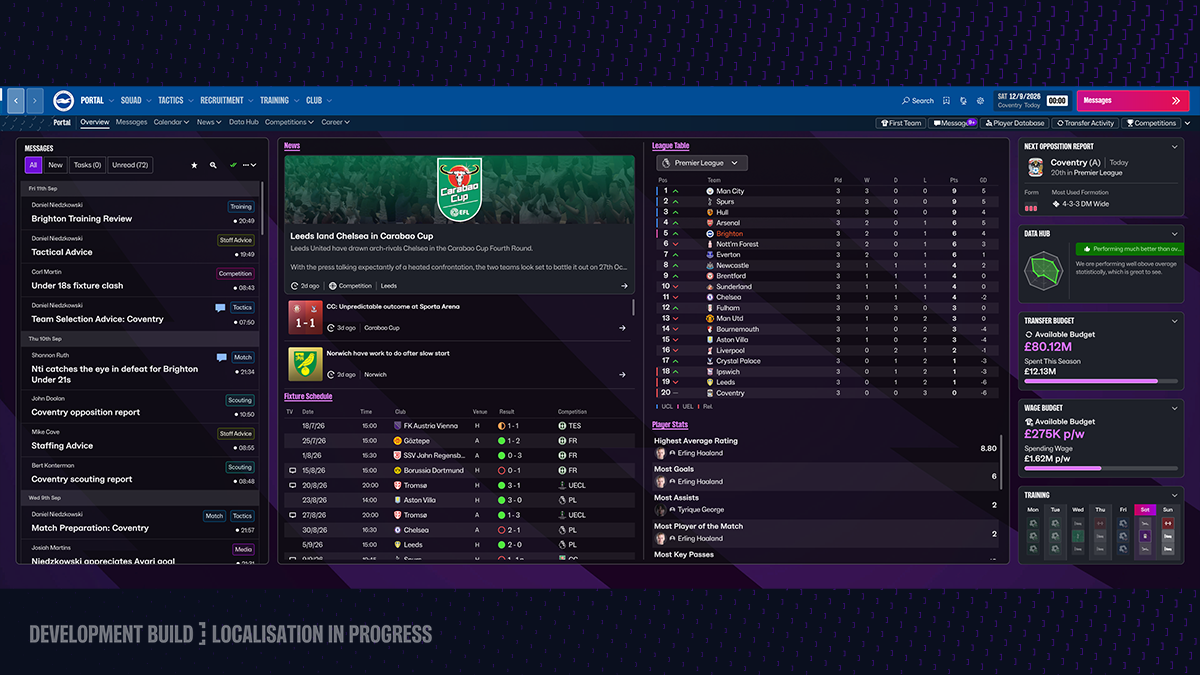
Whether you’re playing on a laptop or with an ultra-wide 4K monitor, you’ll get a more optimal experience in FM27.
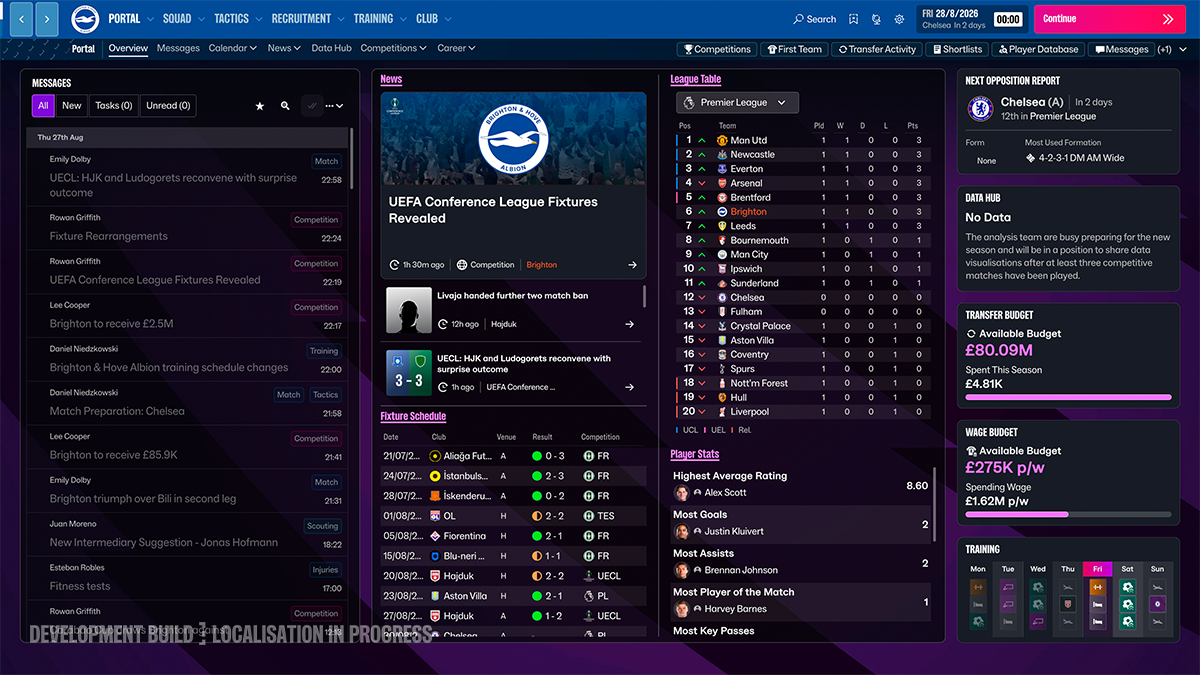
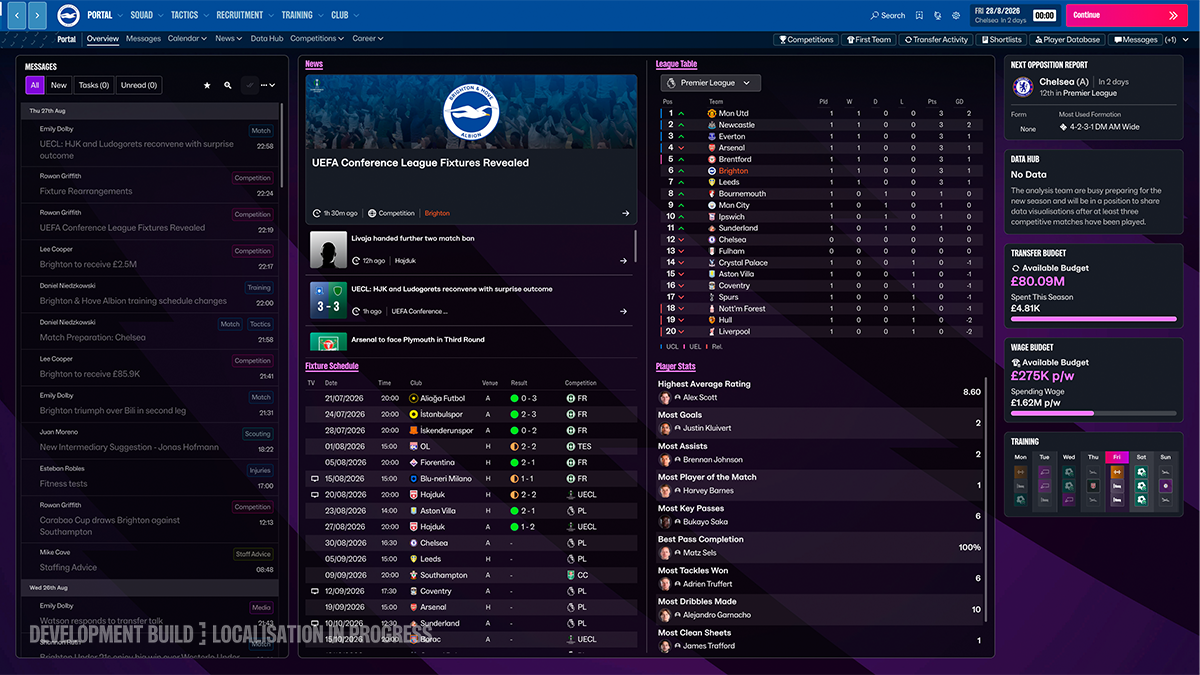
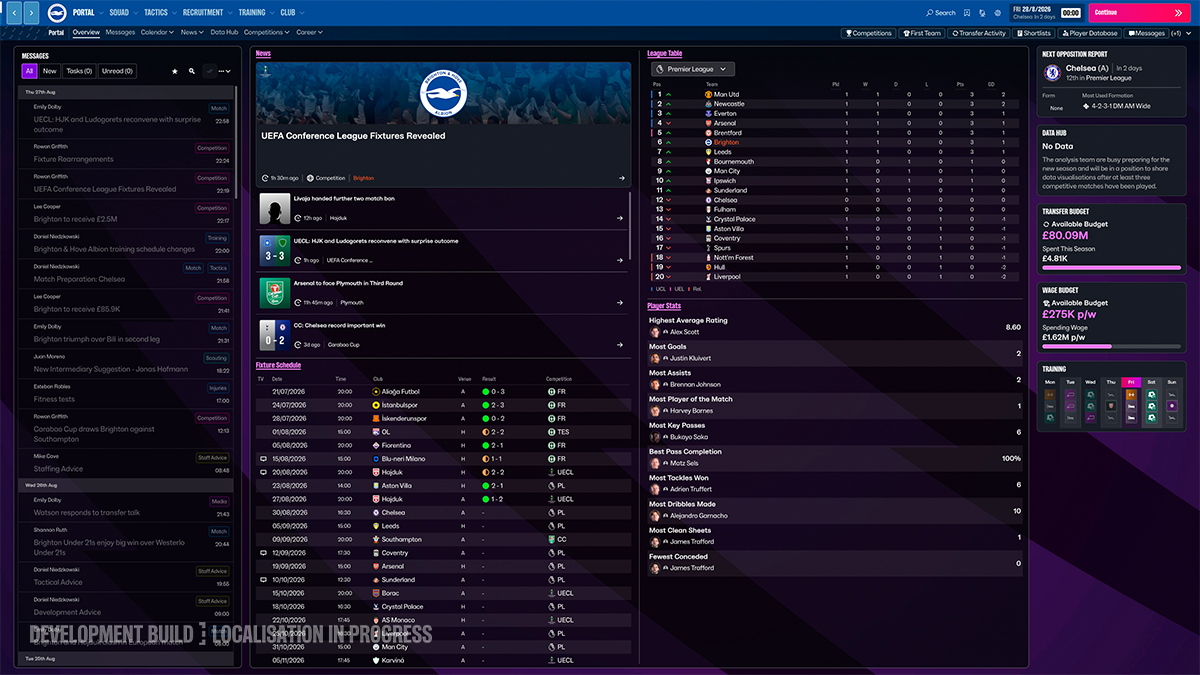
We’ve reworked the logic of the UI to recognise your preferences and adapt to your screen size and resolution settings by changing screen compositions to display more information and reduce empty space.
You’ll notice these changes in the game’s key scalable elements like tables and lists.
Tables now show you as much information as possible vertically without forcing you to scroll, while horizontally they’re designed so that the screens are populated with as much relevant data for you as possible. You can also combine this with custom views, so you can be creative with the type and volume of information you want to see.
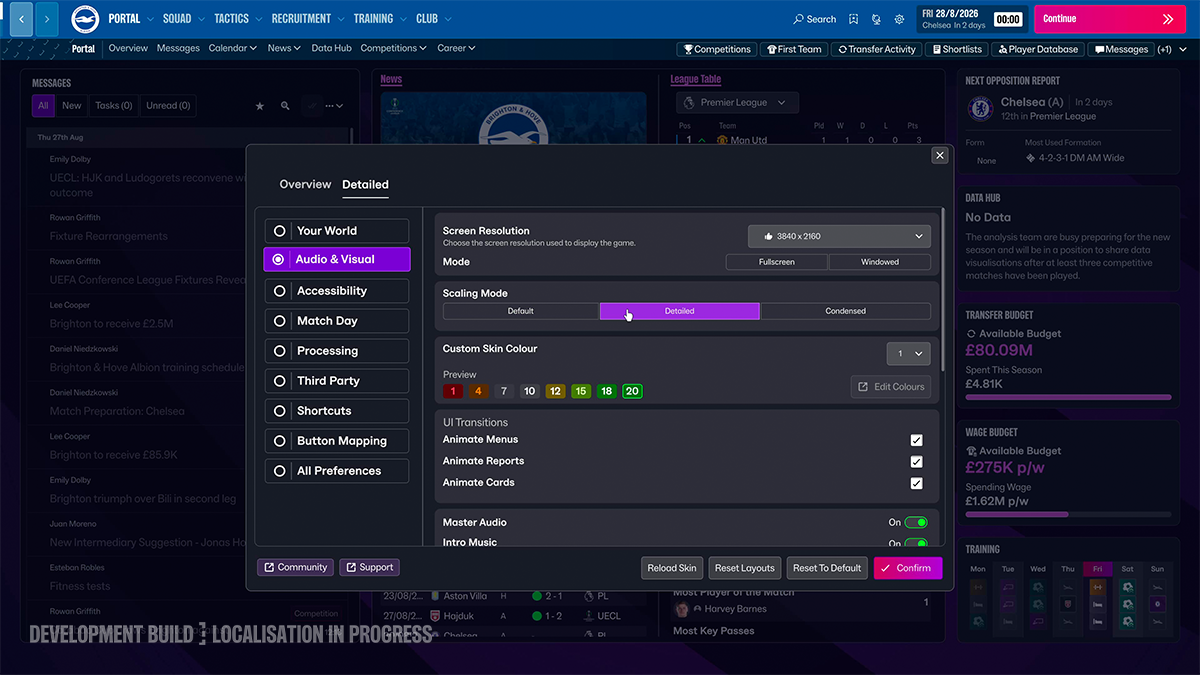
This is supported by the addition of a scaling mode to the Preferences menu for those with HD and 4K monitors. You’ll start your first FM27 career on the default information setting with two alternatives available. Detailed and Condensed allow you to load two varying levels of additional detail onto your screen, while Default remains there if you want UI elements to be bigger.
Alongside custom views, this level of control gives you the flexibility to customise your experience based on how you play and the volume of information you need for your managerial style.
There are four other key aspects to the customisation changes introduced for FM27: Secondary Navigation Landing Spots, Shortcut Remapping, Bookmarks and Tile Swapping.
The first two are additions within the Preferences menu. Here, you’ll also now discover a setting that enables you to change where you land when you click on each of the options in the primary navigation bar.
So, if you have more of an interest in certain aspects of Squad or Recruitment, you can change the setting so that you can get there in fewer clicks.
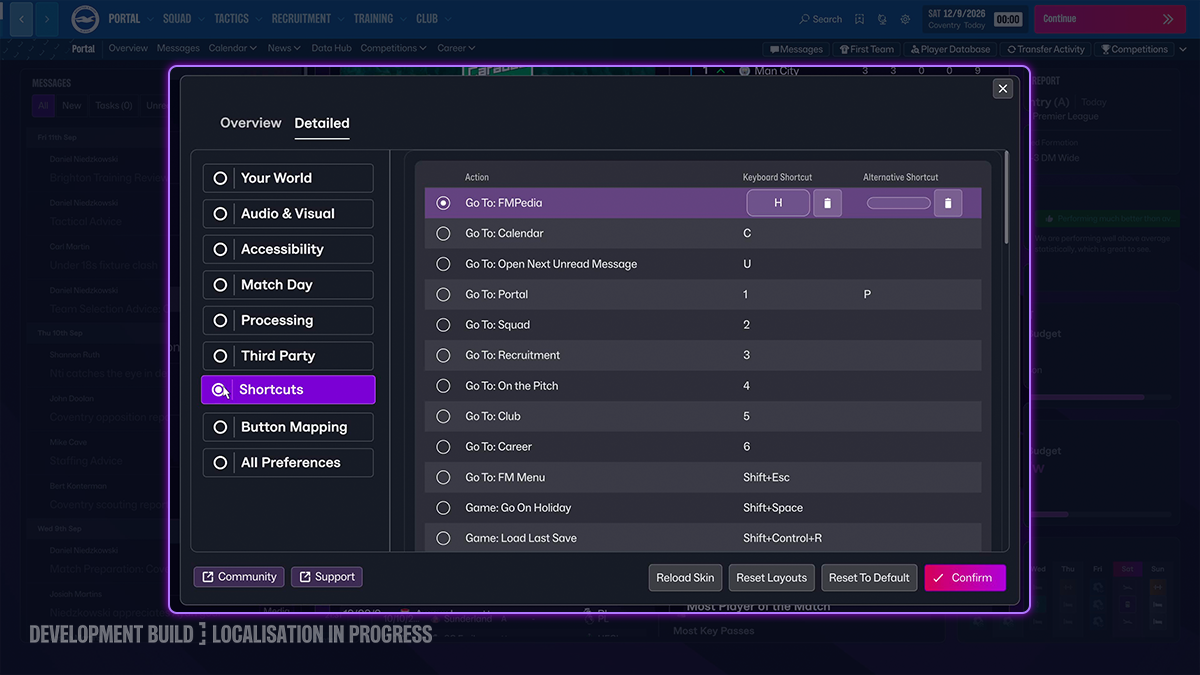
There is now once again the functionality for you to edit the in-game keyboard shortcuts to whatever you want them to be.
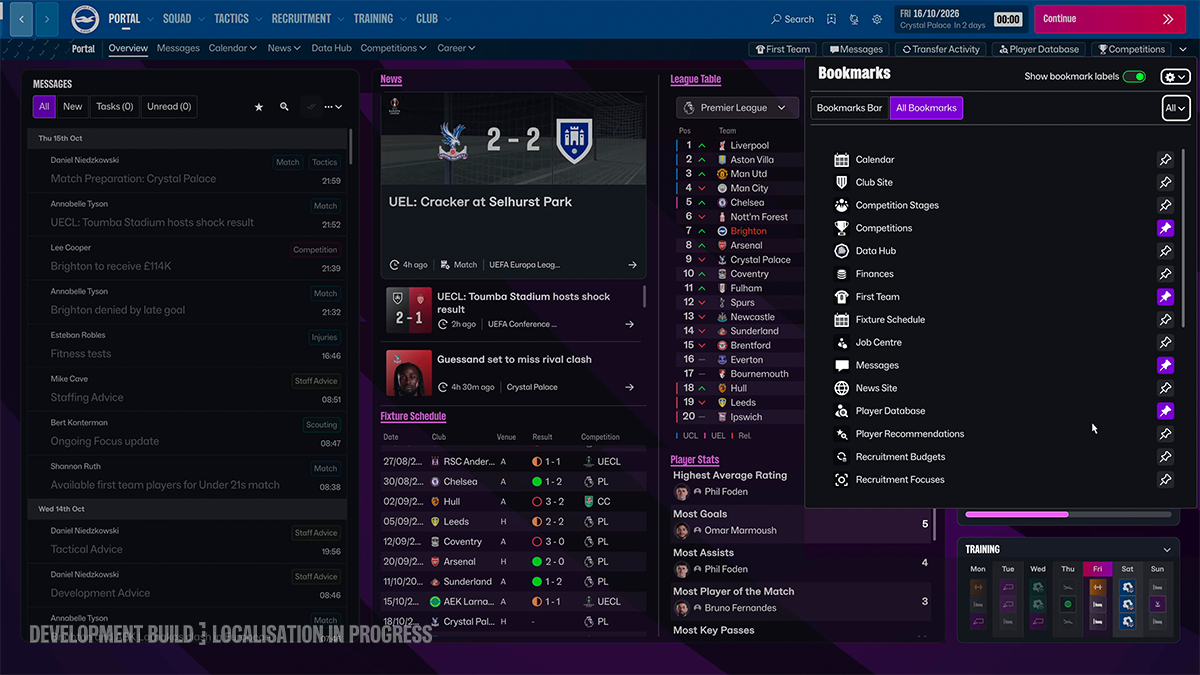
Bookmarks offered a quicker, more reliable way to navigate in FM26, allowing you to pin the individual game screens and areas that mattered most to you. You’ll notice from some of the screens shared here and in our deep dive video that we’ve evolved this system to give more value in every save.
There is greater control over the Bookmark Bar itself. We’ve added text descriptors for those that you prioritise, meaning that there’s immediate recall beyond just the in-game icon. Within the bar itself there’s also now the ability to re-arrange the placement of your Bookmarks, making it easier to tailor based on your needs during different phases of the season.
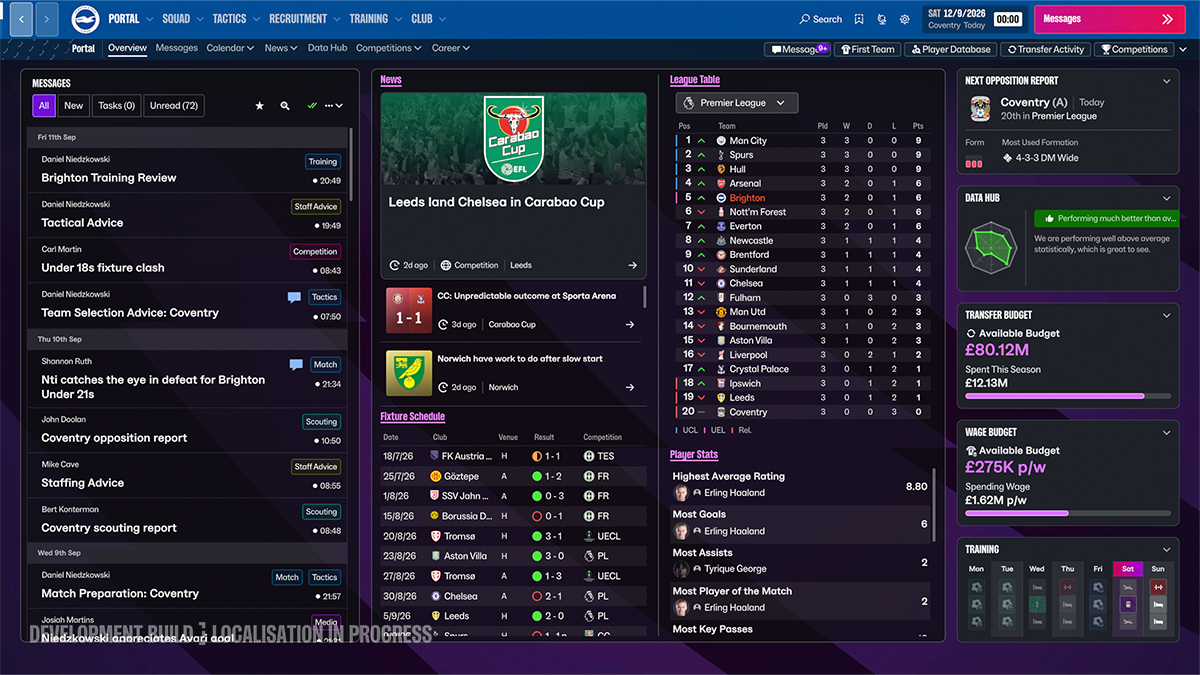
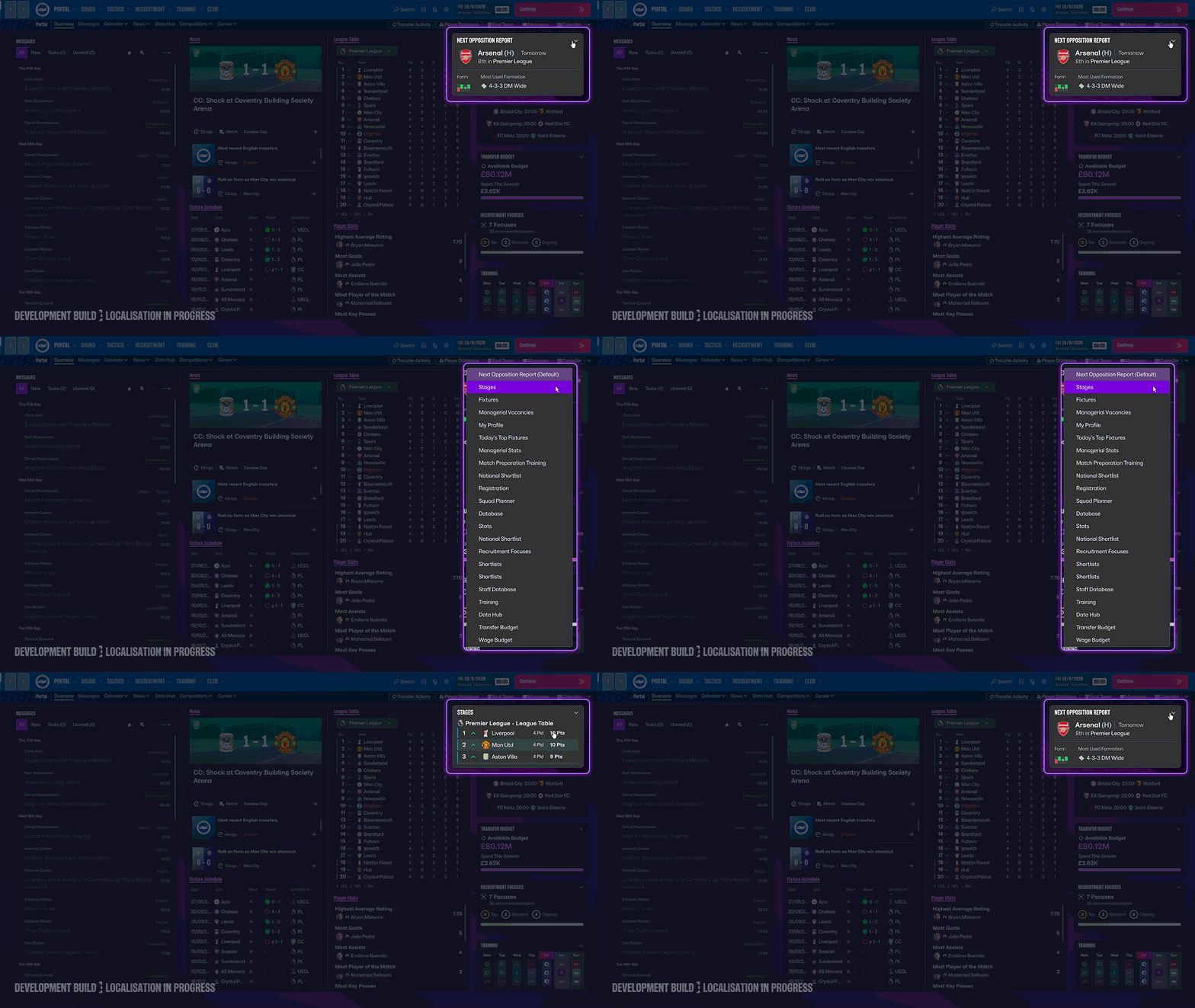
Last but by no means least is the introduction of tile swapping. In the Portal and other areas of the game, we’ve added dropdowns on certain tiles that allow you to swap them out for another of the same size; giving you more control about the nature, quality and relevance you’re seeing based on your gameplay preferences.
This tile swapping system has also been introduced in the Match Day Interface, which you’ll see more of in our Match Engine deep dives, and is the start of a longer-term project on screen customisation.
FM27 evolves the design language we introduced in FM26 combined with ideas and behaviours that recapture the core navigation and user experience flow from previous titles.
Our goal with these changes is simple: for them to feel efficient and intuitive, so you can focus on discovery and exploring the wider footballing world. More relevant information in each screen and more ways to shape how you engage with the game means greater control and depth to your experience.
In our next deep dive we’ll showcase the new, improved, and returning elements that make FM27 a deeper and more immersive football world.
Combining community feedback and internal reviews, the key goals we are aiming achieve for this area of FM27 are:
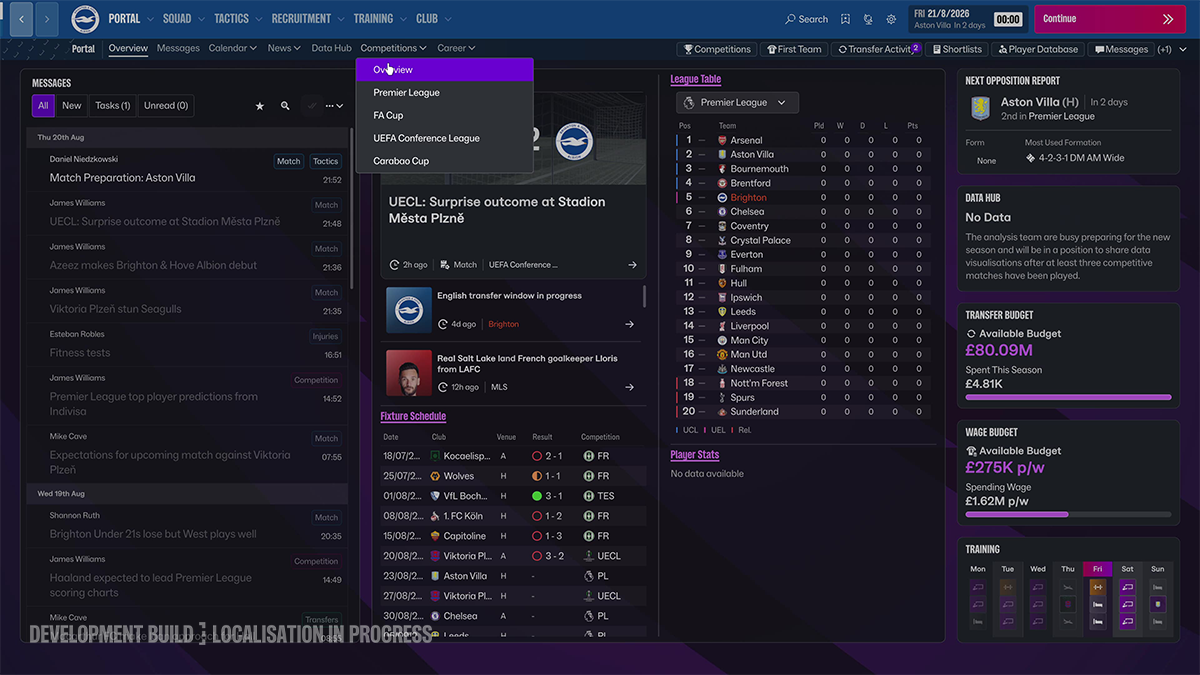
Both the primary and secondary navigation bars at the very top of the screen have been revamped to be clearer and more helpful in finding what you need, faster. The majority of the options in the navigation bars include drop-downs so you can quickly find the area you need. For example, the Squad option drop-down includes the overview page, first team, youth team, dynamics and loans, some of which with their own drop-down menus with more specific pages.
Additionally, in Preferences you’ll find a setting that allows you to change which screen is first the one you see when you click any option in the Primary navigation bar. For example, when selecting Squad, you can choose to be taken to a specific area, like the first team, rather than the overview.
You'll be able to change what you immediately see and access across multiple areas of FM27. Selected tiles that summarise key information can be swapped out for different tiles and topics. For example, on the Recruitment page a ‘Transfer Window’ tile appears by default, but this can be changed to show a wide variety of other options, including affiliate clubs or your transfer history. Customisation options for the layout of Bookmarks, Shortcuts and the landing screen for each key menu are also available, either via prompts on the screen or within the Preferences menu.
Yes. FM27 includes ultrawide monitor support, which appears immediately once you load into the game when using a relevant monitor. Additionally, tables with large amounts of columns and information will rescale to show as much information as possible on ultrawide screens. Including the default option, there are three different scaling modes, available from Preferences, that allow you to load different amounts of information onto the screen, so you can maximise the space available to you. While fully optimised layouts for every possible screen and setup is not possible, a considerable amount of work has gone into minimising dead space for as many setups as possible.
Yes. A priority in the FM27 design work has been to turn many of these information points into a full-screen experience, making it easier to find the details you need and including clear guidance on where next to navigate to.
Whenever you access the main screens in the game, such as Squad or Recruitment, you’ll find a control panel towards the top of the page, underneath the primary and secondary navigation options. This panel clearly displays important actions you can take in this area of the game, without navigating away from the main screen. For example, on the Recruitment screen, the control panel allows you to easily access recruitment advice from your staff; adjust your budgets; create a recruitment focus; change your scouting range and budget; and delegate staff responsibilities.
News items will now be directly shown to you in the message you receive, rather than requiring you to click through or away. Plus, the use of colour-coding makes it easier to recognise the type of message you've received. Messages that require an action, such as receiving a transfer offer or scout report, can be actioned immediately within the item instead of clicking away.
FM27’s design recognises and adapts to your chosen setup. Screens and areas will adjust and appear differently to remain optimised and minimise instances of dead space or difficulty in navigation. In the Preferences menu, multiple presets are available to help scale the information on your screen, which you can combine with customisable elements to design a setup that works best for you.
Bookmarks will now show text descriptors and you can drag and drop to rearrange their order. While in the Preferences menu, you now have the option to edit your Shortcuts, so you can select a set of options that are relevant and helpful to you.
The footage shown is from a development build of the game, meaning polish and optimisation will continue to take place before launch. While the layout and direction of the interface will be largely unchanged in the launch version of FM27, final work is ongoing to ensure this is optimised in both its look and feel. This build contains information that is still under approval process by right holders and may contain data that does not, at this time, accurately reflect real world data.
The background skin and colour scheme for the FM27 user interface is an area that our team are still finalising on the way to launch, including factoring in feedback from recent user testing.
FM27 (PC/Mac) will launch on Steam, Epic Games Store and the Xbox PC app, including being available on Xbox handheld devices. FM27 Console will be available on Xbox Series X, Xbox Series S, Xbox handheld devices and PlayStation 5. FM27 Mobile will be available on iOS and Android exclusively via Netflix. Details on further platforms will be confirmed at a later date. We can also confirm that versions of FM27 will not release on Nintendo Switch or Xbox One, Xbox One X, or Xbox One S. This decision has been taken to focus on maximising the game’s quality across all available platforms.
For Xbox Game Pass Ultimate or PC Game Pass subscribers, FM27 (PC/Mac) is available from the Microsoft Store and Xbox PC app. PC Game Pass or Xbox Game Pass Ultimate subscribers can also play FM27 Console via the Microsoft Store or Xbox PC app.
Yes. We’re preparing more deep dives, information and gameplay to share with you. Our next focus will be on the changes and additions that make FM27 a deeper and more immersive experience.
Sign up to FMFC for free and get access to member-only giveaways, behind-the-scenes insights and exclusive FM news.
Already a member?
Sign In
Don't Miss a Moment
Be the first to know what's next by following us across social media @FootballManager. Same handle, every platform.