






Join the Squad Get Rewarded
Unlock early access to FM feature drops, news and reveals before anybody else. Plus, behind-the-scenes insights and incredible members-only giveaways.
Sign for FMFCAlready a member?

We’ve detected that your browser is in English, click the button below to go to the dedicated English version of the Football Manager website.
Go to English site
Hemos detectado que tu navegador está en español. Haz clic en el botón de abajo para ir a la versión del sitio web de Football Manager en este idioma.
Ir al sitio web en español
Nous avons détecté que votre navigateur est en français, cliquez sur le bouton ci-dessous pour vous rendre sur la version en français du site internet de Football Manager.
Allez vers le site en français
Tarayıcınızın dilinin Türkçe olduğunu belirledik. Football Manager web sitesinin Türkçe versiyonuna gitmek için aşağıdaki düğmeye tıklayın.
Türkçe sitemize gidin
Abbiamo rilevato che il tuo browser è in italiano, clicca sul pulsante qui sotto per andare alla versione italiana del sito di Football Manager.
Vai al sito italiano
Wir haben erkannt, dass Ihr Browser auf Deutsch eingestellt ist. Klicken Sie auf die untere Schaltfläche, um zur deutschen Football Manager-Seite zu gelangen.
Zur deutschen SeiteAdd to wishlist now to get launch alerts straight to your inbox.
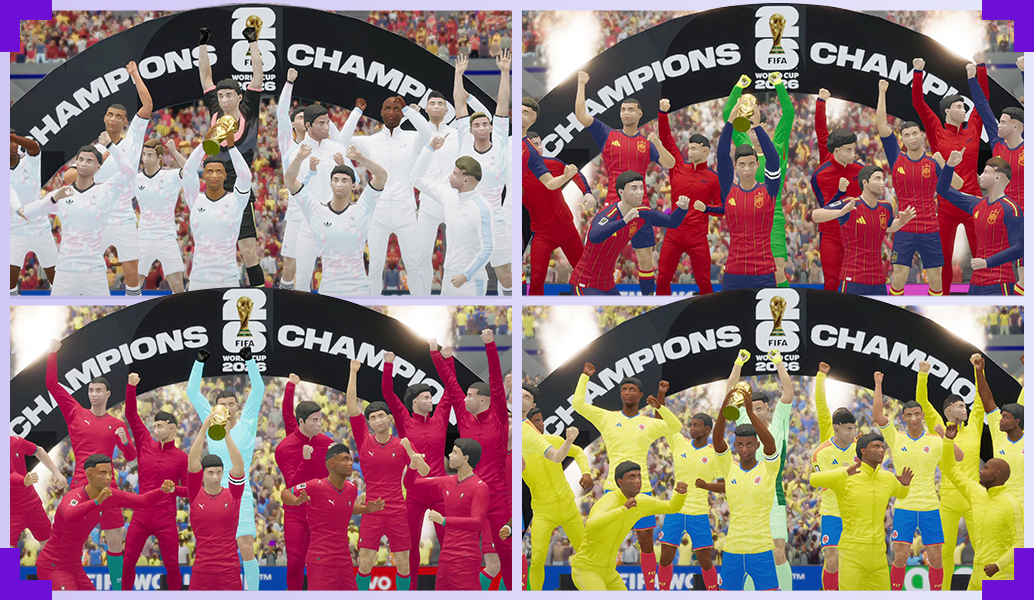
International management has arrived in FM26. With the FIFA World Cup™ officially licensed in the game, there’s never been a better time to manage a national team.
To help you out, we’ve put together some top tips on how you can guide your nation to glory.
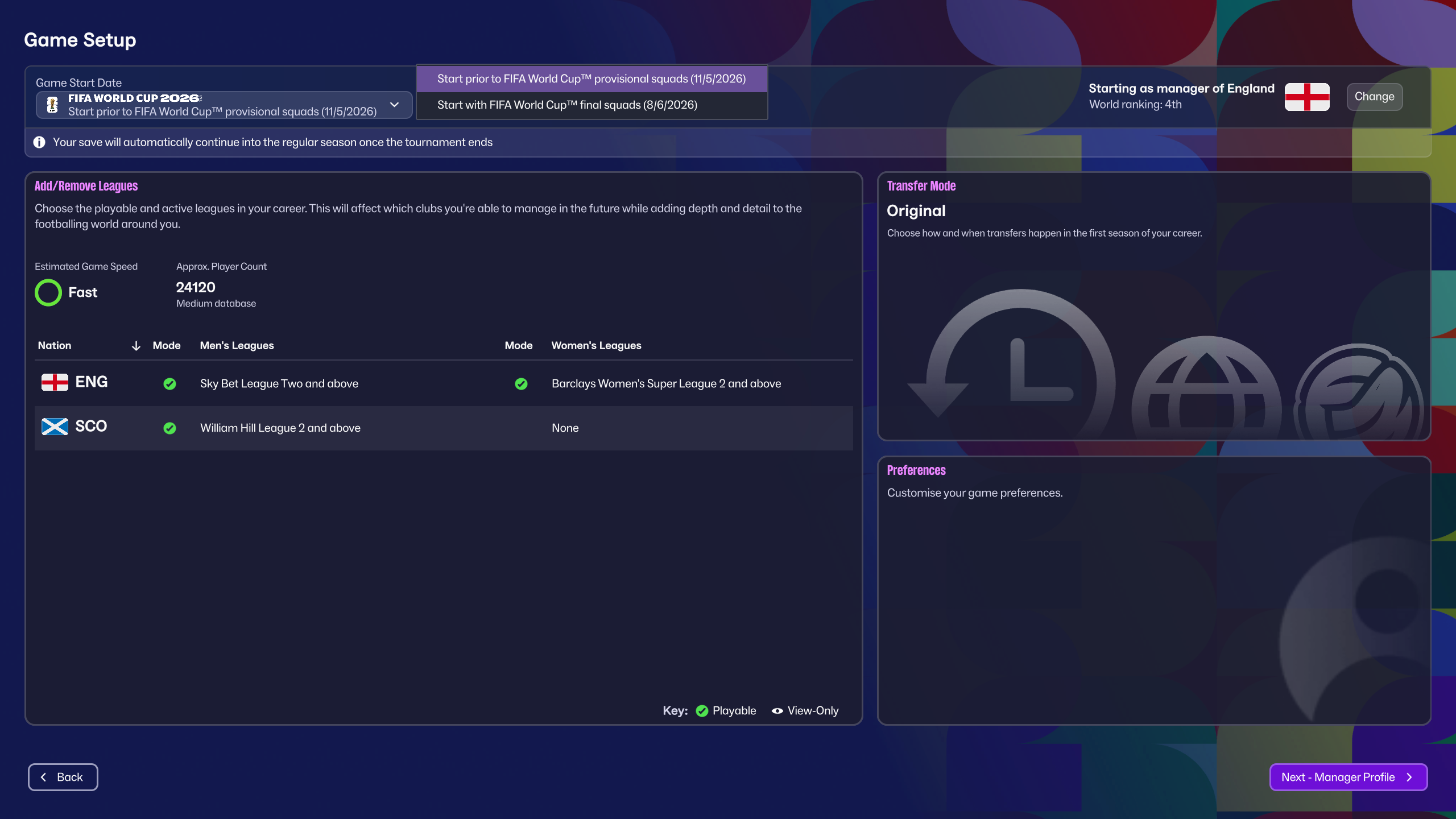
If you decide to start a new save managing a nation for FIFA World Cup 2026™, you'll have two potential quick start options available.
You can take charge at the end of the domestic European season and select your 55 player preliminary squad before narrowing it down to your final squad. If you'd rather focus on the big games, you can take charge just a few days before the opening game and lock in with the official tournament rosters.
Once the tournament is over, you can decide to return to club management or take a dual role alongside your national team. If the national team wants to keep you, that is.
When it comes to international football, your squads have a lot less time together than club sides, making your time on the training field limited.
Ahead of each fixture, the Match Preparation focus lets you decide what you want to work on for In Possession, Out of Possession and for Set Pieces. The news item will land in your emails at the same time as the Opposition Report, allowing you to use the information from the scouts to inform the preparation.
As an example, I can see my upcoming opponents have had a mixed start to the tournament and have lost their first game. However, they're good in the air and have a solid midfield.
Based on that, I decided that our Match Preparation Training for the game should be focused on build-up play and breaking down the opposition's midfield with a mid-block training. I also set a focus on Set Pieces to minimise aerial threats where possible.
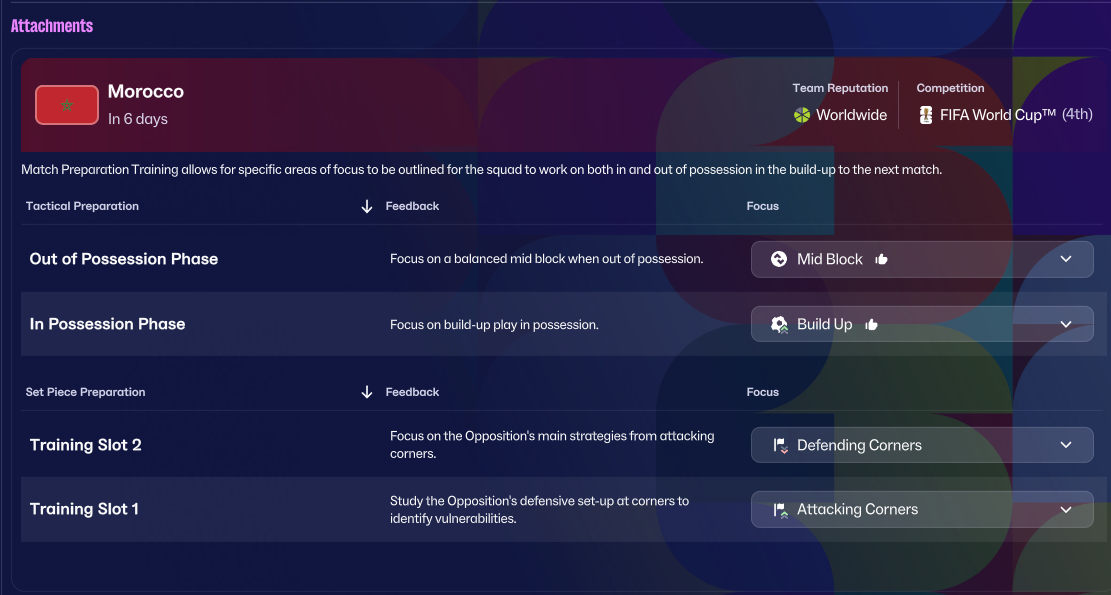
For the first time as a national team manager in FM, you can hire a Set Piece Coach. Pairing a good set piece coach with the focus in training can give my team marginal gains which are so important in tournament football.
The National Pool is super easy to find, living in the top navigation bar, and feels similar to your Club Recruitment hub.
Within the first menu, you have a few different options; the full database of eligible players, your Shortlist, Scouting, Squad Planner and then your Squad and any player recommendations from your scouts.
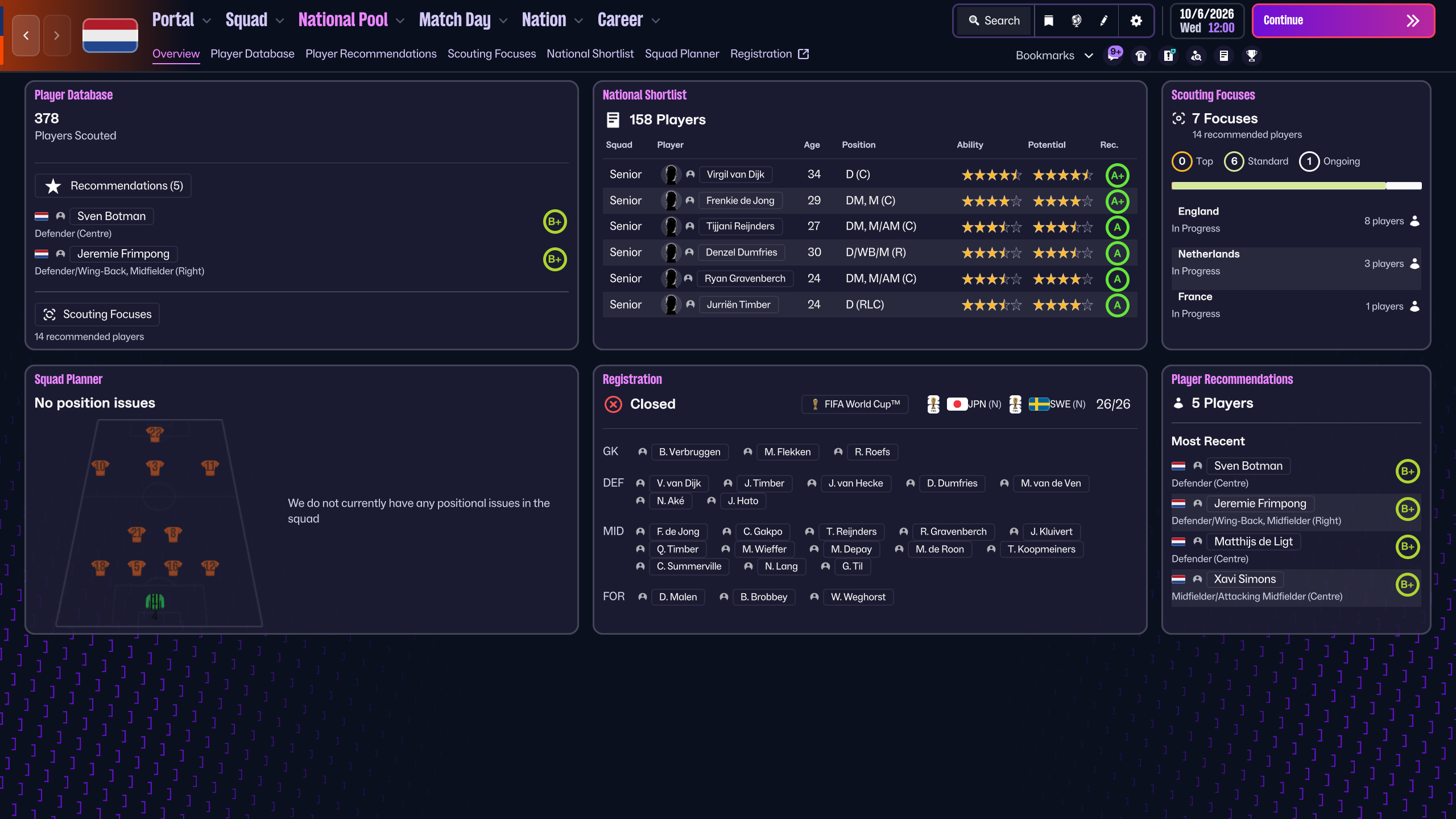
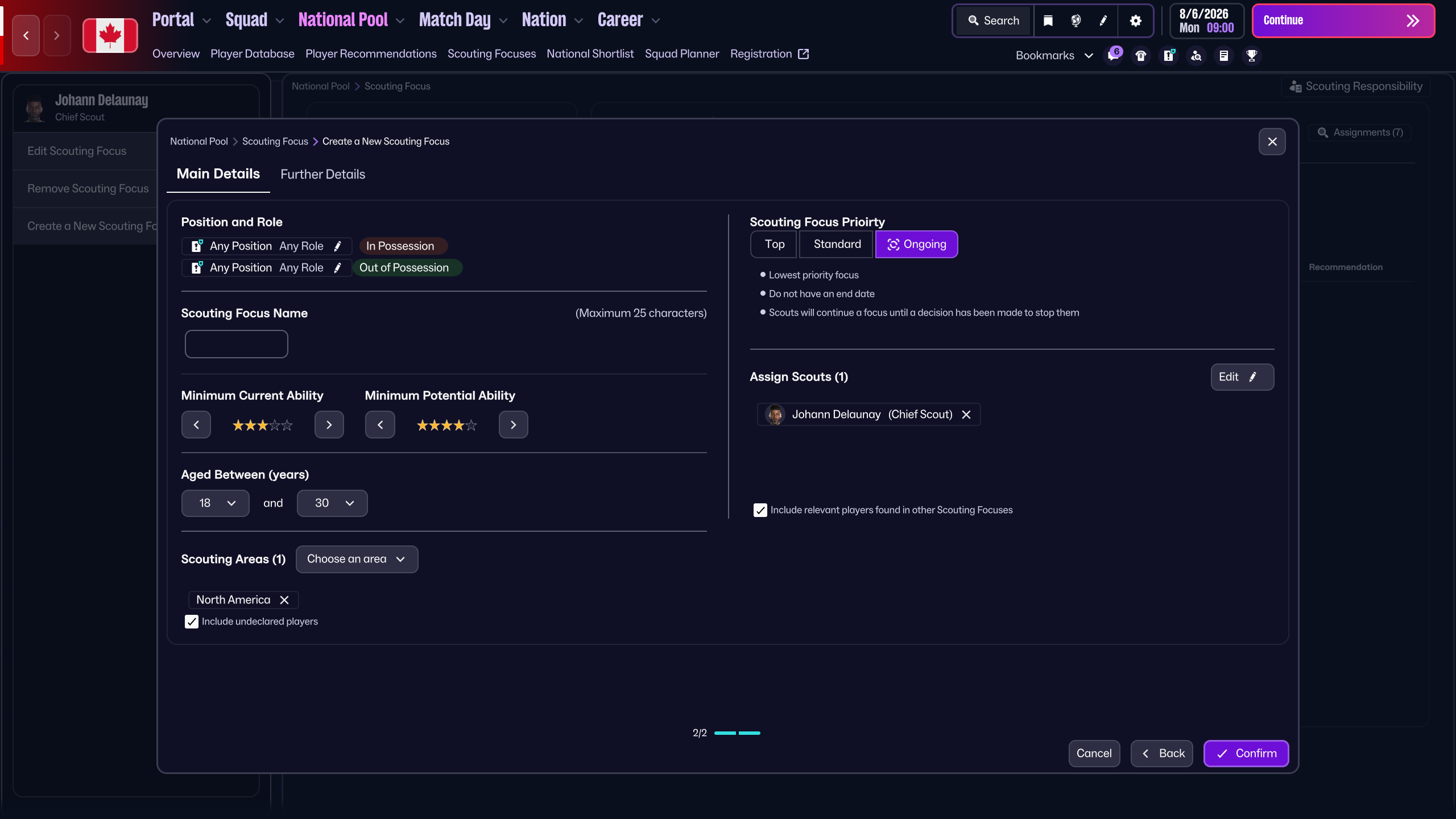
Now, before I talk too much about the pool and shortlists, I want to talk about Scouting Focuses in-game. These are super valuable, especially for those of us who are managing smaller nations, or nations with big second-nationality populations. Your Scouting Focuses can be brilliant for finding those players who are eligible for you but potentially want to wait for their 'bigger' nation to call them up.
You can find those players by making sure you've ticked "include undeclared players" in your scouting focuses.
From here, some players will pop up who are eligible for you, but might not yet have accepted the callup; you can right-click on them, and 'Ask to Represent Nation'.
You can also add them to your National Pool, even if they've not accepted a call-up yet, and get notifications from your scouts about their upcoming matches.
The National Pool itself is a useful screen too; here you'll find every player you've found who is eligible for your nation, and the 'Player Discovery' view is a really nice addition, where you can track their club form, scout rating, and what their expectations are for your next squad:
I found this really helpful when I was picking my squads, as you're better able to predict who's going to kick off about being left at home, who's expecting to get called up, and who's not really fussed. That can be really useful for building out the depth in your squad; I found I had a couple of useful players who would just be happy to be there, so keeping everyone happy during the tournament itself would be easier.
Finally, I want to talk a little about the changes to the squad registration, and some useful things to think about here. In prep for the FIFA World Cup™, you'll be asked to pick up to 55 players for a provisional squad, which you then cut down to your tournament 26 later down the line.
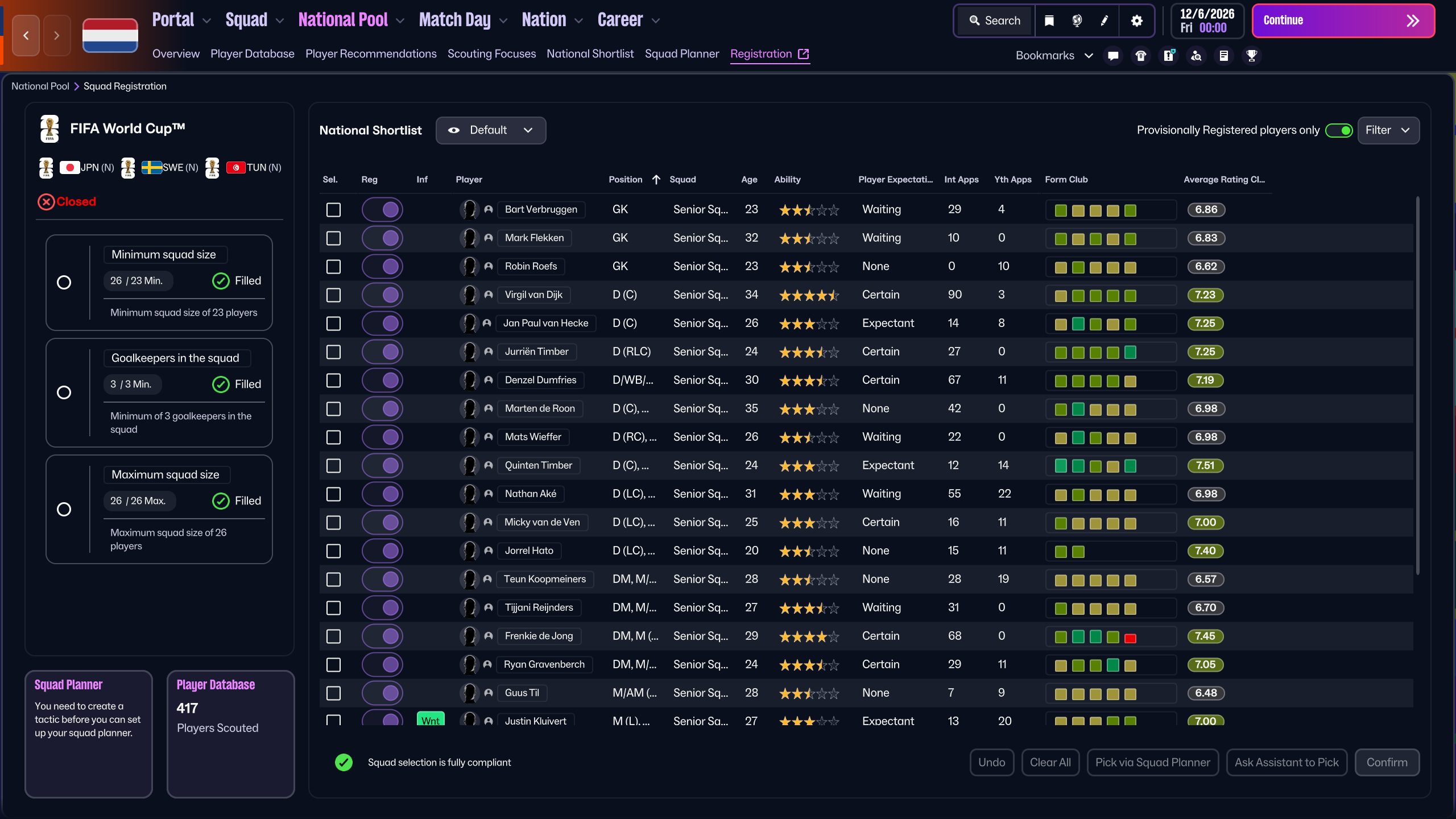
The squad selection screen gives us some more useful information, including the media's opinion on players, and whether their form is deserving of a callup. The Squad Planner now lives in the squad selection screen, making it easier to jump in and see what you're missing.
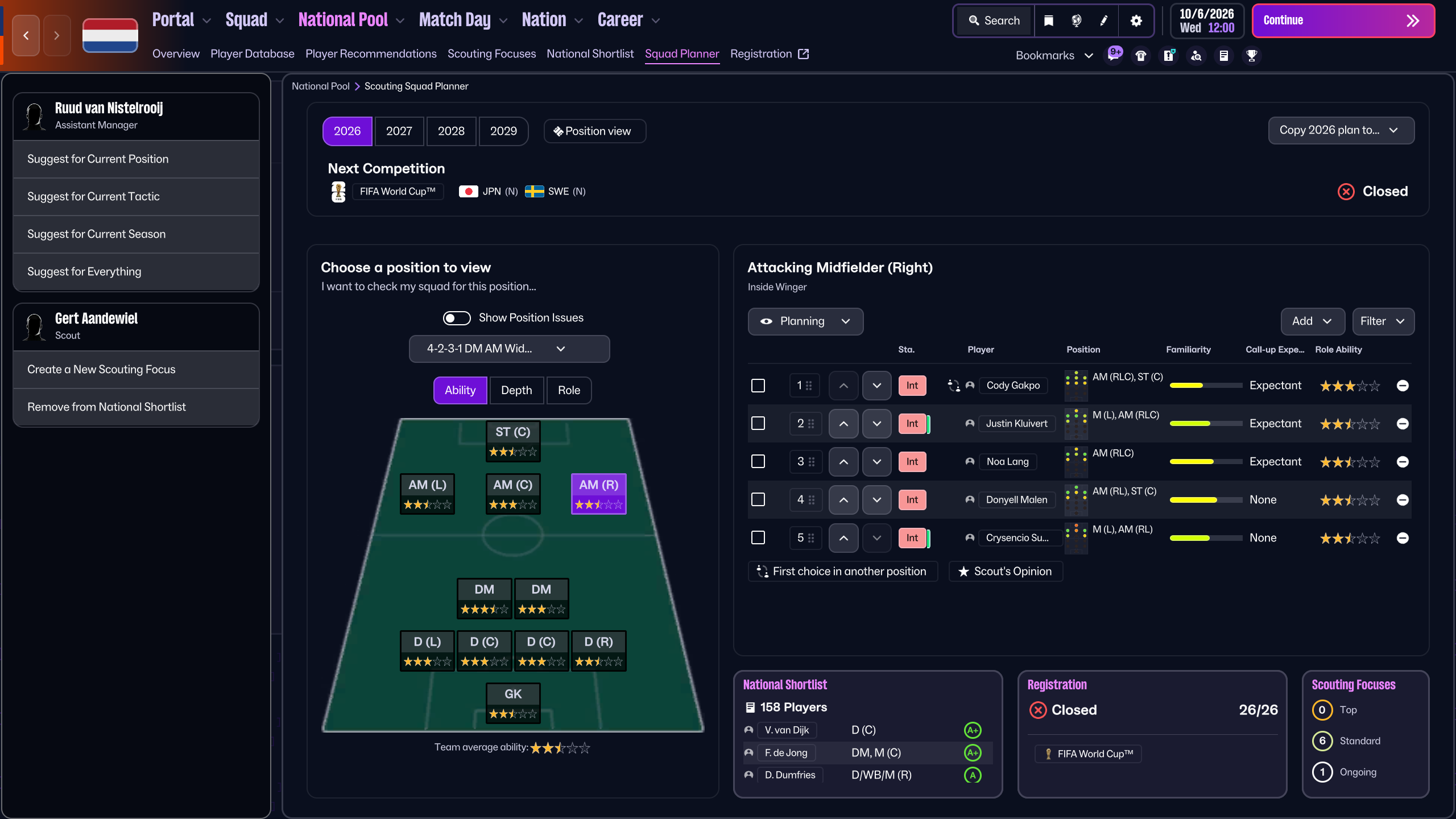
It's easy enough to make changes to the planner and I can add players here and then call them up directly. I did most of my squad planning and picking through this screen then just used the squad selection screen to confirm it all.
Now, if you excuse me... I've got a FIFA World Cup™ to win!
Unlock early access to FM feature drops, news and reveals before anybody else. Plus, behind-the-scenes insights and incredible members-only giveaways.
Sign for FMFCAlready a member?
Don't Miss a Moment
Be the first to know what's next by following us across social media @FootballManager. Same handle, every platform.