Making a Plan
One of the first things you should do in every save, wherever you manage in FM26, is review your squad.
Work out where you’re strong and where you’re weak, and what that means for your tactical tinkering. With those insights, you can develop a real plan of action for the transfer market.
In this example, we’ve taken over at Manchester City. Having reviewed the squad, we’ve created a simple tactic that lines the club up 4-2-3-1 in possession and 4-4-2 out of possession.
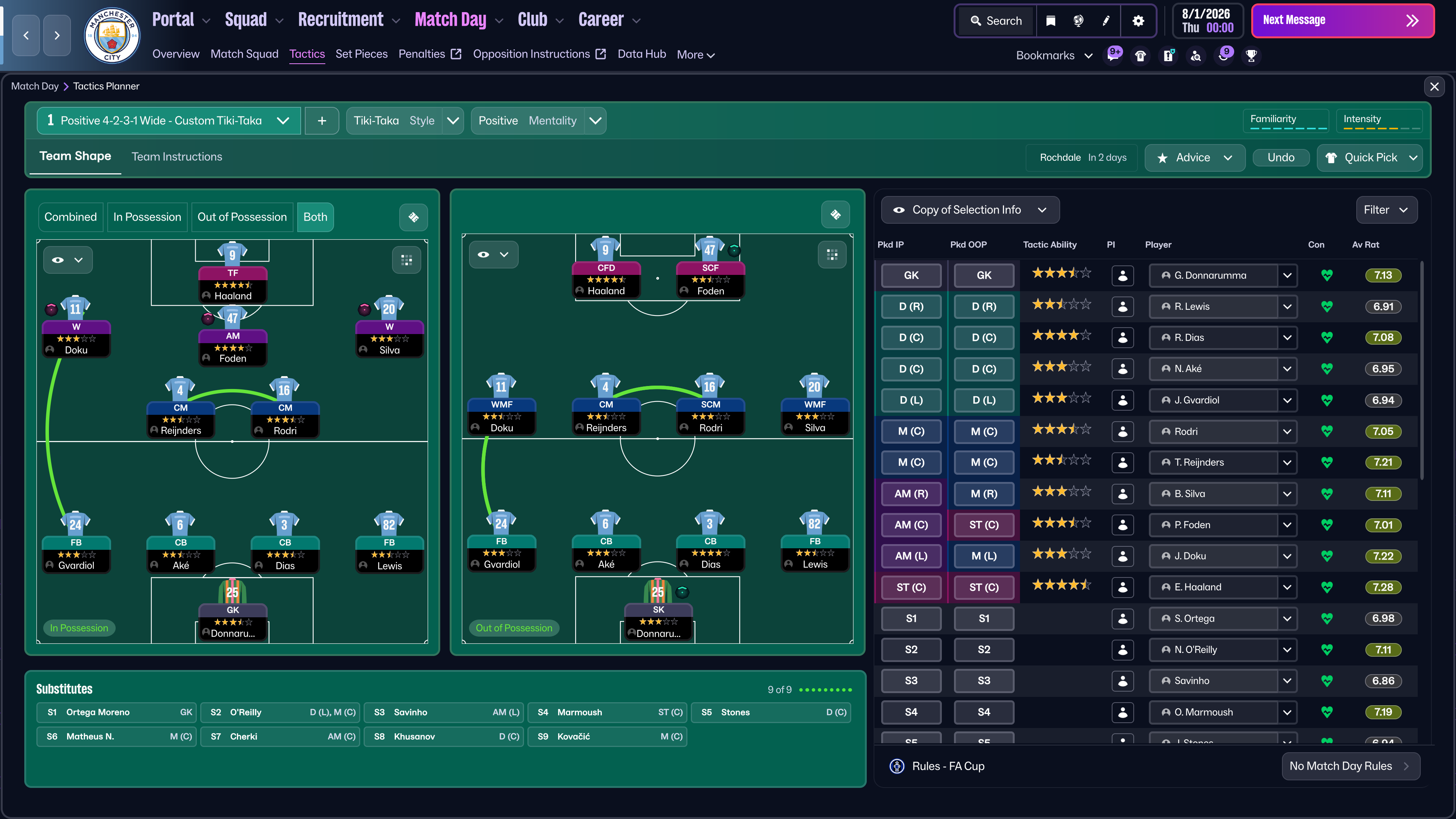 Pulling this together shows where we’re strong and where we can look to add more depth to the squad.
For example, Rico Lewis is a fantastic talent but at 20 years old it’s a lot to expect him to be first-choice for every game, particularly when we’ll be competing in four competitions throughout the season. Here, adding in an experienced player to rotate with him can only make the squad stronger.
Up front, we’ve got the world’s best striker in Erling Haaland. Very few players can match his all-round ability but to make sure we get the most from him, we’ll need to rotate him to try and avoid any costly injuries. Another striker here, a backup, would be a good depth addition.
We also have to consider potential departures here. For example, we have four goalkeepers in the first-team squad, so we should look to move one of them on.
Getting Started
With those three tasks in mind, head over to the Recruitment tab in the top navigation bar.
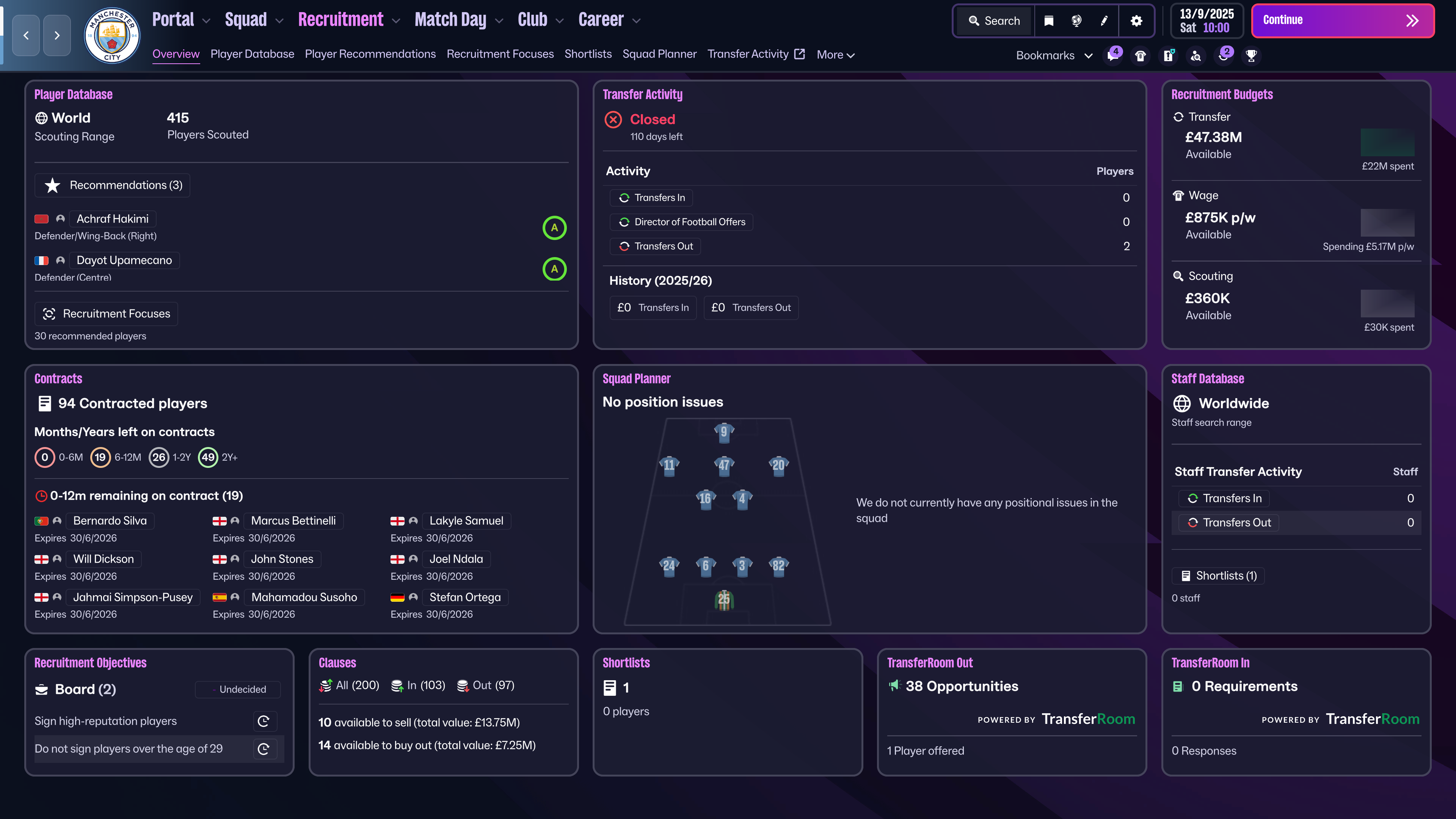 If you need to adjust your transfer budget, there are two initial steps you can take. The first is adjusting your wage budget/transfer budget split, and the second is selling off any existing transfer clauses. This isn’t always the best strategy long-term, but as a quick fix it can be invaluable. Towards the bottom of the recruitment overview there’s a summary of the clauses you have.
Having done some tinkering in this Manchester City save, we have £76m available to us to evolve our squad.
Making Moves
To start identifying transfer targets, head to the Player Recommendations tab from the sub-menu.
The Scouting department will have already done some work but to hone in on the needs we have, setting up Recruitment Focuses and TransferRoom Requirements will be priorities.
Recruitment Focuses
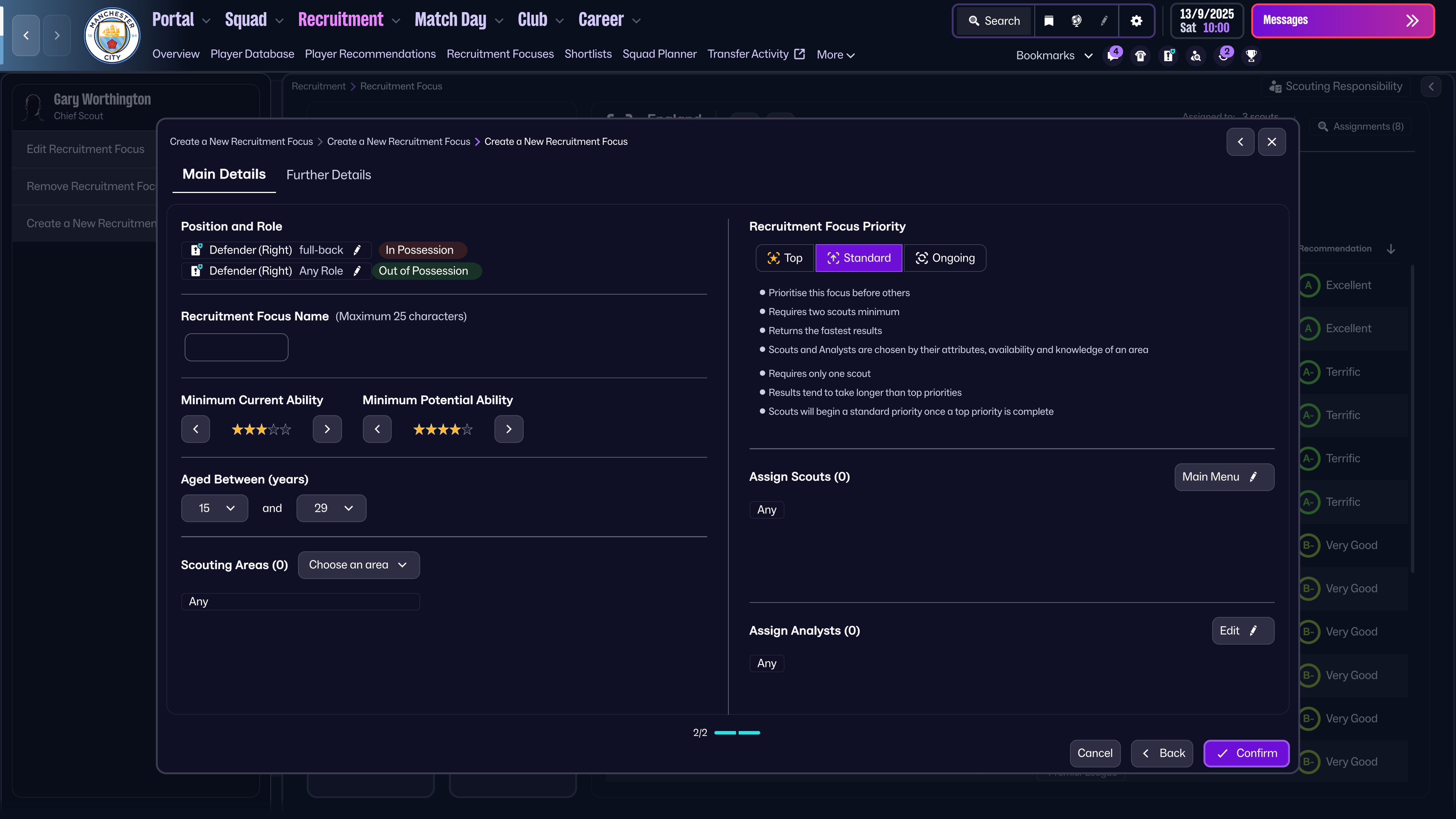
An existing feature from previous FMs, Recruitment Focuses are a useful tool to guide our scouts to a specific position, league or age group of interest.
In this example, we’ve created one to identify a starting quality right-back. You can keep the search parameters as simple as just the position, or you can add in additional elements like specific In and Out of Possession roles.
To give a broader range of candidates in the quickest time, we’ve kept ours simple and set it as a Top Priority within Europe. You can also at this stage assign specific staff to work on this but as City’s recruitment team is very strong, we’ve left it for them all to work on.
TransferRoom
One of the new features of Football Manager 26 is an enhanced relationship with TransferRoom. This includes the introduction to the game of Requirements and Pitch Opportunities, otherwise known as TransferRoom (In) and TransferRoom (Out).
While our recruitment focus finds us some potential new right-backs, we can use the TransferRoom tools available to do our other business.
Requirements allow you to announce to every club in the game the type of player you are looking to sign, in the hopes that they will have such a player available to offer to you.
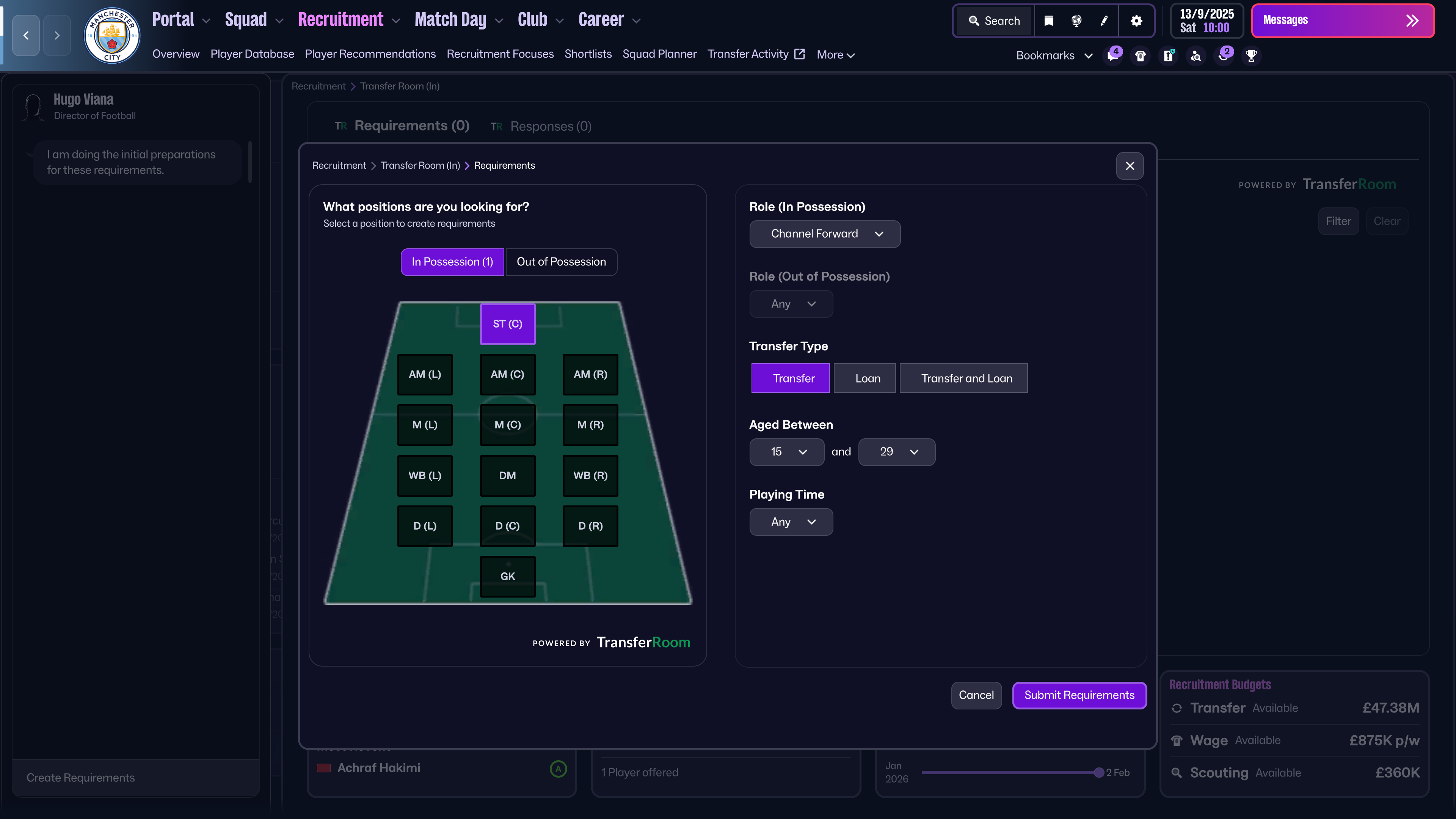 This time, I have set a particular role. It’s not practical to think that we can find a forward as complete as Erling Haaland. So instead we want somebody specifically to come on and run the channels and stretch tired defences.
Pitch Opportunities
Pitch Opportunities are the inverse of Requirements. Rather than telling other clubs what we need, we can show them what we have to offer. This is a little more hands-on than setting a Requirement, but clubs will be listed with the profile of player they are looking for. This can be filtered if you have an idea of who you’d like to move on.
A member of staff, in this case our Director of Football, will also be on hand to point out squad members who could potentially suit each club’s requirements.
We don’t currently have any players that look like they might suit other club’s needs, but we can use the Loan tab to get some of our young players some senior experience. Specifically, we’re interested in offering Jahmai Simpson-Pusey to 1 FC. Köln.
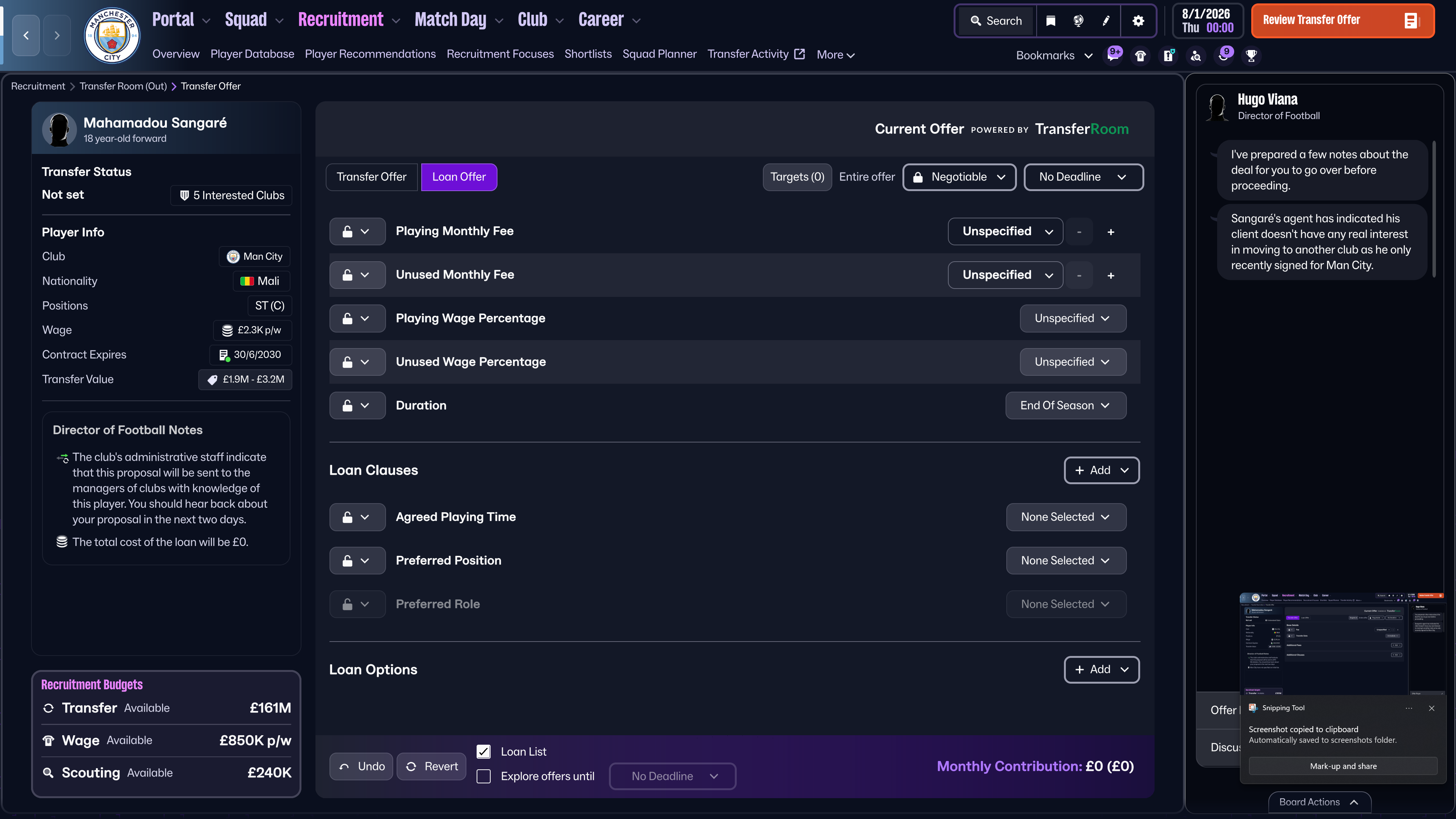
This will open the Transfer Offer screen, where we can set the terms of the loan deal and see if an agreement can be made.
Offer via TransferRoom
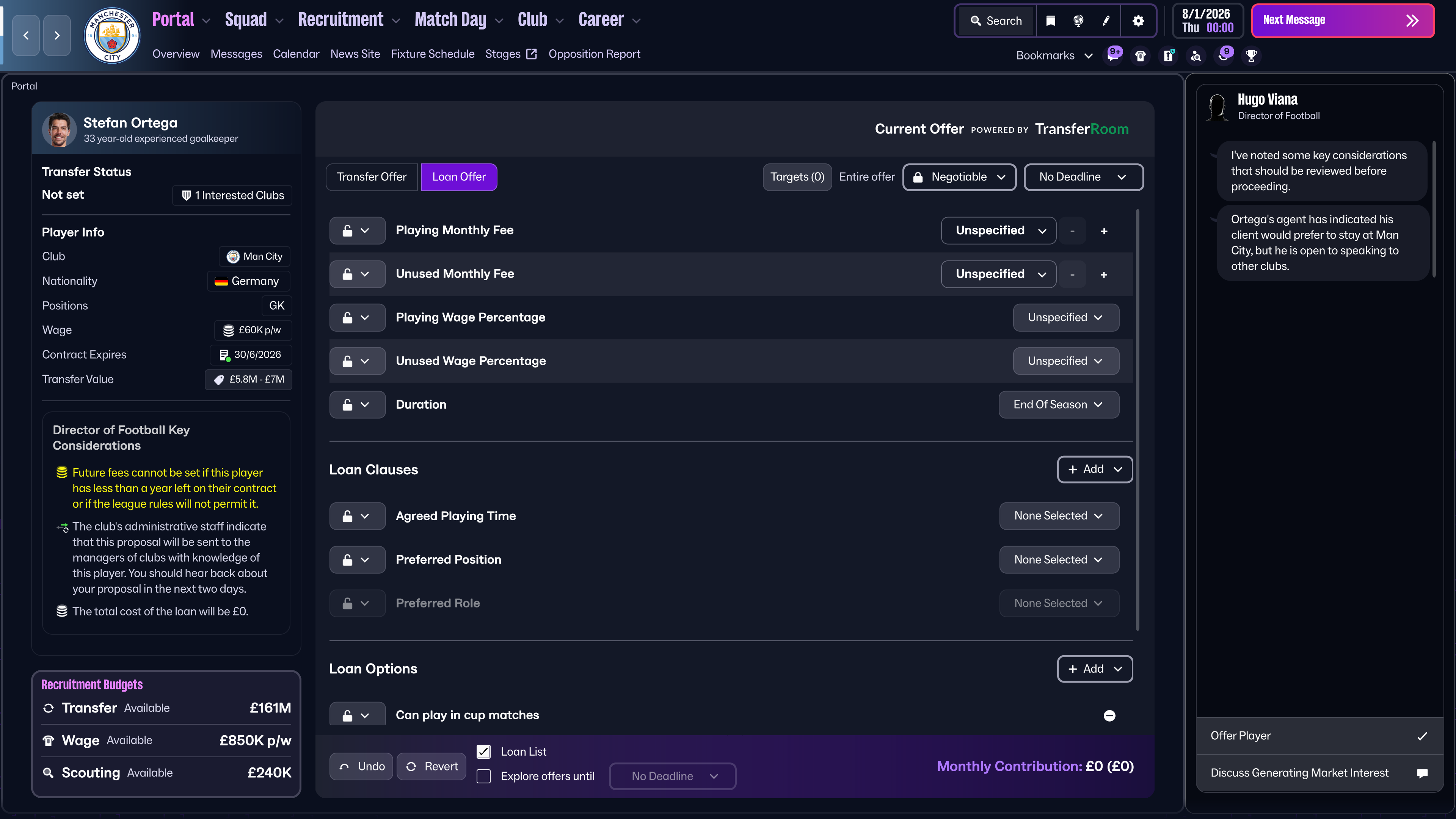
There are two more options available to us – the first is offering players out via TransferRoom. This is helpful to try and generate interest in players who other clubs might not think are available, or to make sides think about upgrading an area of their side while the opportunity is there.
I’m going to offer Stefan Ortega out on loan via TransferRoom, in the hopes of getting him regular football.
Hire an Intermediary
The last proactive move we have is to try and move players on by hiring an intermediary to actively move a player on. This would generally be more of a last resort measure, as offering players out through intermediaries can upset them if they don’t wish to leave the club.
Whichever route you go down, remember that several recruitment screens can be accessed from the new Bookmarks feature. If there are some that you find yourself constantly going back to, why not set them as a Bookmark and have them to hand.
By assessing our squad, making a plan of action and using the tools available to us, we primed Manchester City for a successful season.
Getting recruitment right isn’t always easy, and plans may need to be adapted from time to time, but with the tools available in Football Manager there are more ways than ever to master your squad-building.
















Don't Miss a Moment
Be the first to know what's next by following us across social media @FootballManager. Same handle, every platform.